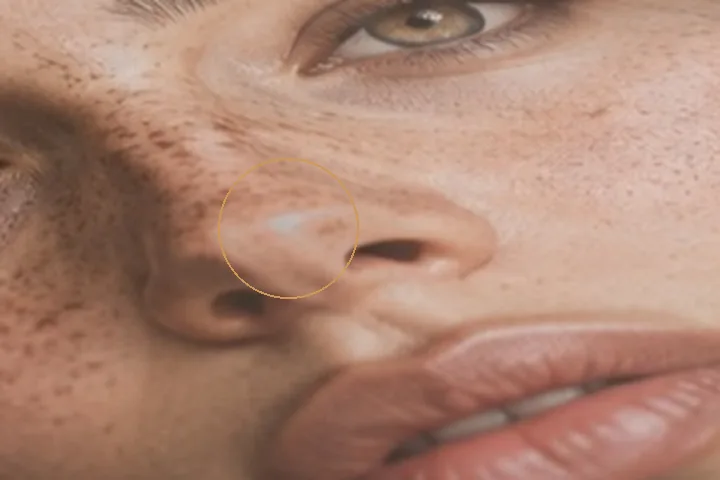
Why shine is different from light
A cheekbone catching the light is modelling — it is what makes a face look three-dimensional. A hot spot on the forehead from a flash or an oily patch is shine. The brush tells them apart in two ways: a pixel has to stand above the tone of the skin around it, and above the brightest part of what you painted (a threshold at the 60th percentile of the stroke). Only then is the excess brought down, by at most 60 per cent at full flow.
Because the change is made to the tone band and the pores ride on top untouched, a reduced highlight keeps its texture rather than turning into a flat grey patch.
- Threshold
- the stroke's own 60th percentile, and the surrounding tone
- Ceiling
- 60% of the excess per full-flow pass
- Colour
- held
- Texture
- pore band untouched
What this mode runs on
What it will not do
- It does not matte a whole face. It works where you paint, and only on the part that is brighter than its surroundings.
- It cannot recover a clipped highlight. Where the camera recorded pure white there is no detail to bring back; the patch can be darkened, not rebuilt.
- It is not a makeup filter. No foundation, no powder look — just less of the reflection.
What people ask
Will it flatten my face?
No. The light that shapes the face sits below the threshold and is not touched; only the excess on top of it comes down.
Why does a second stroke do less?
Each pass removes a share of what is left above the threshold, so repeated strokes converge rather than overshoot.
Does it change skin colour?
No. Luminance only; the colour of every pixel is written back as it was read.
Is my photo uploaded?
No. The brush runs in this tab.
Read next
- Dodge and burnLocal light in stops by tonal range, with colour written back exactly as it was read.
- Even skin toneThe tone band evened at 30 per cent with texture removal at zero, so every pore stays.
- Skin smoothingOpens with the skin layer at 25 per cent, which leaves three-quarters of the texture.
- How far is too farWhere the caps sit, why they are there, and what the distance readout is measuring.
- Why nothing here reshapes a faceThe one exclusion that is a decision rather than a boundary, and the reasoning behind it.