What it lifts, and how far
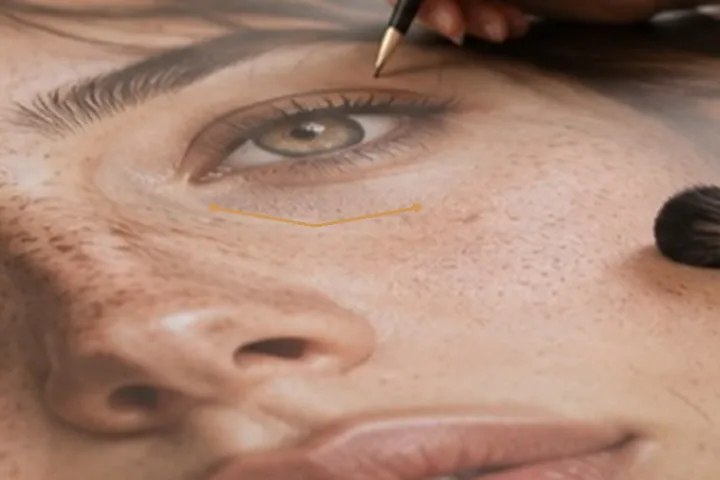
The brush reads three bands around where you paint: the pores on top, the surrounding skin’s tone underneath, and the shadow in between. Where the shadow sits below the surrounding tone, it is lifted toward it — at most a third of the way, and only in the shadows, so a lit cheek beside the eye is not touched. The pores are written back exactly as they were, which is why the result still reads as skin.
With the face finder, Place a band under each eye lays a crescent under each eye it located, at the current flow. Without it, paint the band yourself; the result is the same brush.
- Ceiling
- ⅓ of the way to the surrounding tone
- Range
- shadows only
- Colour
- held: Cb and Cr written back as read
- Texture
- pore band untouched
- Placement
- from the eye points, or by hand
What this mode runs on
What it will not do
- It lifts a shadow; it does not remove dark circles. Colour under the eye is left as it is, and a third of the way is the ceiling.
- It does not change the eye. Size, shape and colour of the eye are never touched.
- It will not undo a lit-from-above photo. Strong overhead light makes deep shadows; a little lift helps, a retake in softer light helps more.
What people ask
Why only a third of the way?
Because a face with no shadow under the eyes looks lit by a flat panel, or not lit at all. A third takes the tiredness out without erasing the structure of the face.
Does it change skin colour?
No. It moves luminance only; the chroma harness checks that on nine synthetic skin tones on every build.
Can it place the bands for me?
Yes, after the face finder has run: Place a band under each eye lays one crescent per eye it found. You can switch each off in the ledger.
Is my photo uploaded?
No. The brush runs in this tab; only the 224 KB face finder travels, and only if you ask.
Read next
- Brighten eyesA small luminance-only brush for iris and eye whites, with colour retained.
- Dodge and burnLocal light in stops by tonal range, with colour written back exactly as it was read.
- Face editorEvery layer for one face in one panel, with the values beside them. Nothing reshapes a face.
- How far is too farWhere the caps sit, why they are there, and what the distance readout is measuring.
- Why nothing here reshapes a faceThe one exclusion that is a decision rather than a boundary, and the reasoning behind it.